Skip to content

This month’s resource is a powerful recorded session from Adobe’s Creative Community Week titled, “Prompting for Equity: A Hands-On Look at AI Bias” with Shira Moskovitz. 

This session guides educators through using Adobe Express’s AI image generation to explore the concept of AI bias in a vivid, accessible way. Participants learn how hidden biases can appear in AI-generated images, why this happens, and strategies for designing prompts that promote more inclusive and equitable results. The session also includes a ready-to-use classroom activity!

Regarding our PD focus this month on Digital Equity, this session is a timely resource for helping all students gain equal access to key digital tools and skills. Digital Equity=Ensuring all students can fully benefit from technology, regardless of background. 

By teaching students to recognize and challenge bias in AI, we’re not just building technical know-how—we’re empowering them to be ethical, engaged citizens, as outlined in our Portrait of a Graduate. When students understand the importance of fairness and inclusion in technology, they’re better equipped to participate meaningfully in today’s digital world.

Stop Motion Projects in Adobe Express: Unleashing Creative Problem Solvers

Our resource this month is the possibility of students bringing their ideas to life with stop motion projects in Adobe Express! This hands-on activity challenges them to plan, design, and troubleshoot each step of the animation process—just like true Creative Problem Solvers.

Stop motion is a filmmaking technique where students take a series of photos of objects or drawings, moving them slightly each time. When these images are played in sequence, it creates the illusion of movement. In Adobe Express, students can easily upload their photos, arrange them in order, add text or audio, and produce a polished stop motion animation—all within a user-friendly platform that encourages experimentation and creativity!

Check out these student examples and teaching materials to adapt for your own stop motion project here:

As students innovate and adapt to bring stories to life frame by frame, students flex their critical thinking, resourcefulness, and creativity, supporting our Portrait of a Graduate vision.

Guided Learning Journals in Adobe Express: Fostering Curious Thinkers

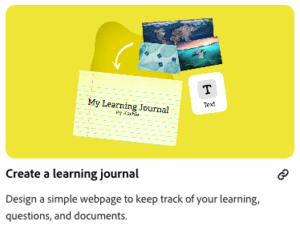
This month's Adobe update, we are excited to show you how students can use Adobe Express to create digital learning journals. This guided activity encourages students to document their questions, reflect on new ideas, and explore topics that spark their curiosity. You can access the guided learning activity here: Learning Journal Guided Activity.

The guided activity provides a template and short instructional videos teaching users how to create the project. A fun and easy way to get started thinking creativity & curiously.

By capturing daily thoughts and discoveries, students practice being Curious Thinkers—a key trait in our Portrait of a Graduate. They learn to ask questions, seek multiple perspectives, and remain open to new ideas, building habits that will serve them in and beyond the classroom.

Building Digital Literacy with Adobe

Check out this quick video from Adobe on digital literacy:

Digital literacy is more than just using devices—it means understanding how to find, evaluate, and create information online.

Digital literacy is just one part of Digital Design. The digital teaching & learning department is committed to expanding our knowledge and expertise regarding digital access, digital design, and digital equity to support educators in facilitating the effective use of technology to enhance student learning. Every student deserves the tools and skills to fully participate in our digital world. As we support our Portrait of a Graduate with not only digital tools, but also digital skills, we’re committed to providing both the access and the know-how students need to thrive.

Check out this month’s featured resource: Text to Image Tips with Adobe Express.

This step-by-step guide gives teachers great examples of how to create hands-on opportunities with generative AI - letting students design, experiment, and communicate creatively. As AI tools become part of daily life, learning how to prompt AI thoughtfully is a vital modern literacy. These skills help students turn ideas into reality, solve problems, and refine their digital communication.

This focus on AI literacy directly supports our Portrait of a Graduate. By using tools like Adobe Express, students practice creative problem-solving, critical thinking, and effective communication—growing into resilient, responsible, and empathetic learners ready for a future where technology and human skills go hand in hand.

Explore the tips above to see how it can support your student's growth across all Portrait of a Graduate competencies!