Skip to content

As we move into the final stretch of the school year, our focus shifts toward empowering students to take ownership of their growth. This month, we are highlighting the Resilient Lifelong Learner — a Resilient Lifelong Learner isn’t just someone who gets the right answer; they are students who embrace challenges, learn from setbacks, and remain curious in an ever-changing world. To support this mindset, we are thrilled to spotlight a new feature in Adobe Express.

Adobe Express has just released a new beta feature designed to bridge the gap between curriculum standards and creative student output. Teachers can now generate high-quality, engaging classroom activities in a matter of seconds.

How it works:

  • Input Your Goal: Simply type in a specific topic (e.g., "The Water Cycle"), a learning objective, or a state standard.
  • Instant Generation: The AI engine builds a complete classroom activity tailored to your prompt.
  • Student-Ready Instructions: It doesn't just create the "what"—it creates the "how," providing clear, step-by-step instructions for students to follow.
  • Teacher Refinement: Once the materials and instructions have been generated, teachers can change any part of the template or instructions to fine-tune it for your classroom before sharing it with students.

By automating the initial scaffolding, teachers can spend more time facilitating "productive struggle." Students get clear guardrails that allow them to experiment, fail safely, and iterate on their creative projects—the very heart of being a resilient learner.

Log in to your district Adobe Express account and look for the "Generate Activities" box under the “Teach” tab. Give it a standard you’re teaching next week and watch the magic happen.

a screenshot of the "generate classroom activities" box in Adobe Express

Engage Your Student Citizens with a Media Diet Reflection

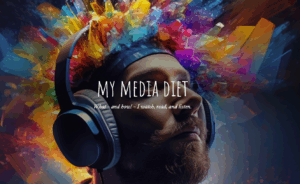
This month for our Adobe Update we are excited to share a dynamic new project using Adobe Express: Design a Web Page to Reflect on Your Media Diet perfect for developing Engaged Citizens

In this activity, students analyze their own media consumption, reflect on how information shapes their views, and then use Adobe Express to design web pages that visually represent their findings. This creative process builds critical media literacy, helping students understand the sources and impact of their daily information intake.

This project directly supports the Engaged Citizen element in our Portrait of a Graduate. By examining the role of media and sharing their reflections with peers, students learn to be informed, thoughtful participants in their communities. They develop the ability to question, evaluate, and act responsibly in a digital world—essential skills for contributing meaningfully to society now and in the future.

This month’s resource is a powerful recorded session from Adobe’s Creative Community Week titled, “Prompting for Equity: A Hands-On Look at AI Bias” with Shira Moskovitz. 

This session guides educators through using Adobe Express’s AI image generation to explore the concept of AI bias in a vivid, accessible way. Participants learn how hidden biases can appear in AI-generated images, why this happens, and strategies for designing prompts that promote more inclusive and equitable results. The session also includes a ready-to-use classroom activity!

Regarding our PD focus this month on Digital Equity, this session is a timely resource for helping all students gain equal access to key digital tools and skills. Digital Equity=Ensuring all students can fully benefit from technology, regardless of background. 

By teaching students to recognize and challenge bias in AI, we’re not just building technical know-how—we’re empowering them to be ethical, engaged citizens, as outlined in our Portrait of a Graduate. When students understand the importance of fairness and inclusion in technology, they’re better equipped to participate meaningfully in today’s digital world.

Stop Motion Projects in Adobe Express: Unleashing Creative Problem Solvers

Our resource this month is the possibility of students bringing their ideas to life with stop motion projects in Adobe Express! This hands-on activity challenges them to plan, design, and troubleshoot each step of the animation process—just like true Creative Problem Solvers.

Stop motion is a filmmaking technique where students take a series of photos of objects or drawings, moving them slightly each time. When these images are played in sequence, it creates the illusion of movement. In Adobe Express, students can easily upload their photos, arrange them in order, add text or audio, and produce a polished stop motion animation—all within a user-friendly platform that encourages experimentation and creativity!

Check out these student examples and teaching materials to adapt for your own stop motion project here:

As students innovate and adapt to bring stories to life frame by frame, students flex their critical thinking, resourcefulness, and creativity, supporting our Portrait of a Graduate vision.

Guided Learning Journals in Adobe Express: Fostering Curious Thinkers

This month's Adobe update, we are excited to show you how students can use Adobe Express to create digital learning journals. This guided activity encourages students to document their questions, reflect on new ideas, and explore topics that spark their curiosity. You can access the guided learning activity here: Learning Journal Guided Activity.

The guided activity provides a template and short instructional videos teaching users how to create the project. A fun and easy way to get started thinking creativity & curiously.

By capturing daily thoughts and discoveries, students practice being Curious Thinkers—a key trait in our Portrait of a Graduate. They learn to ask questions, seek multiple perspectives, and remain open to new ideas, building habits that will serve them in and beyond the classroom.