
You can take your students anywhere in the world with Nearpod VR Field Trips. Look around in these 360 degree photos.
Jan 2026 Nearpod News by ross.rogers
Author: kcannon
Google News- January 2026
Google News- January 2026
Generate Slide Presentations in the Gemini App
Google recently introduced the ability to create slide presentations in Gemini through the Canvas tool. Provide an idea with a text prompt or upload a source, and Gemini will generate a set of slides — complete with a theme and relevant images. Then, export the presentation from the Gemini app directly to Google Slides to continue to refine or collaborate with others.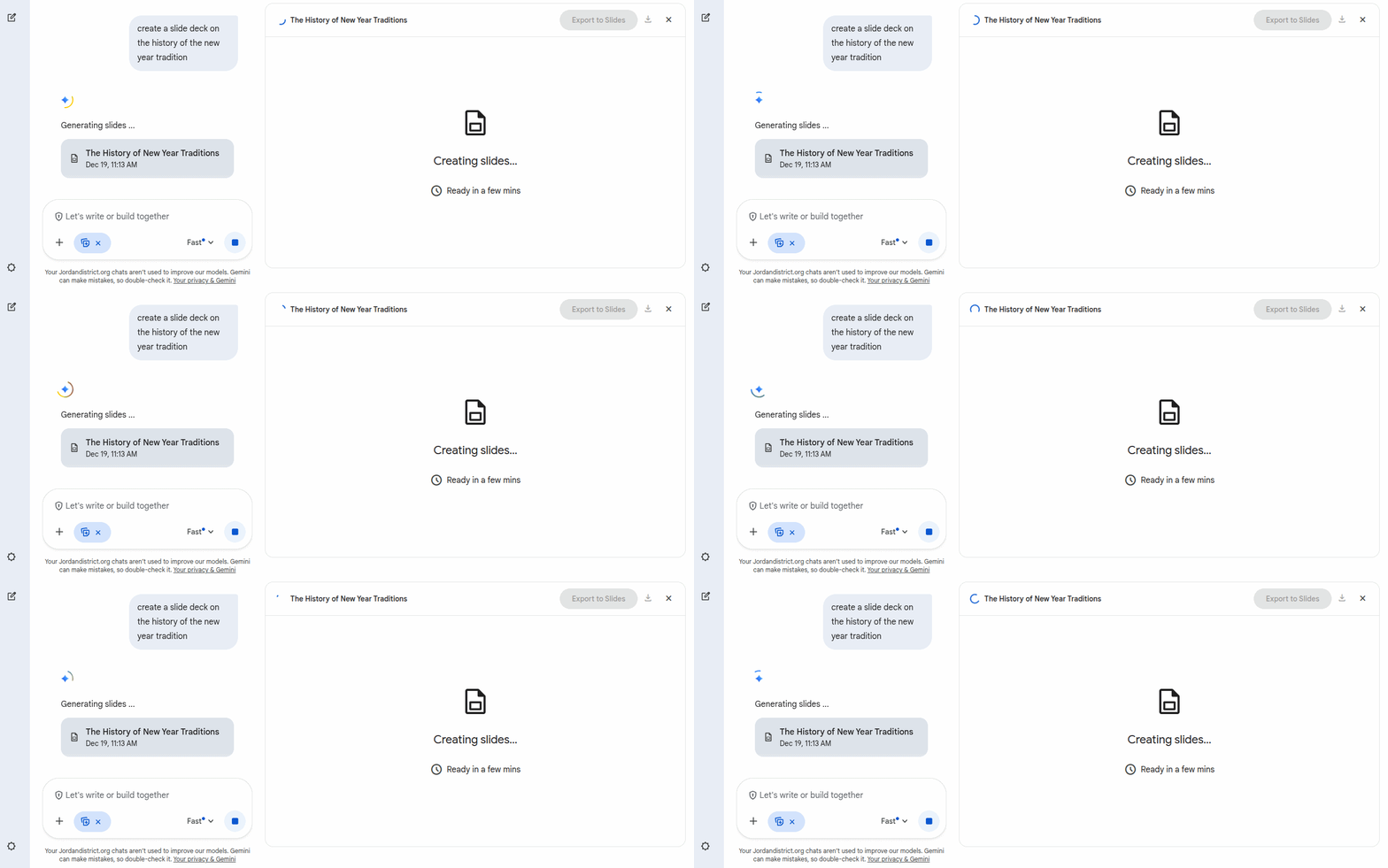 Open the Gemini app, select “Canvas” in the toolbar, and ask Gemini to “create a presentation.” You can specify a topic or upload your own source with the prompt.
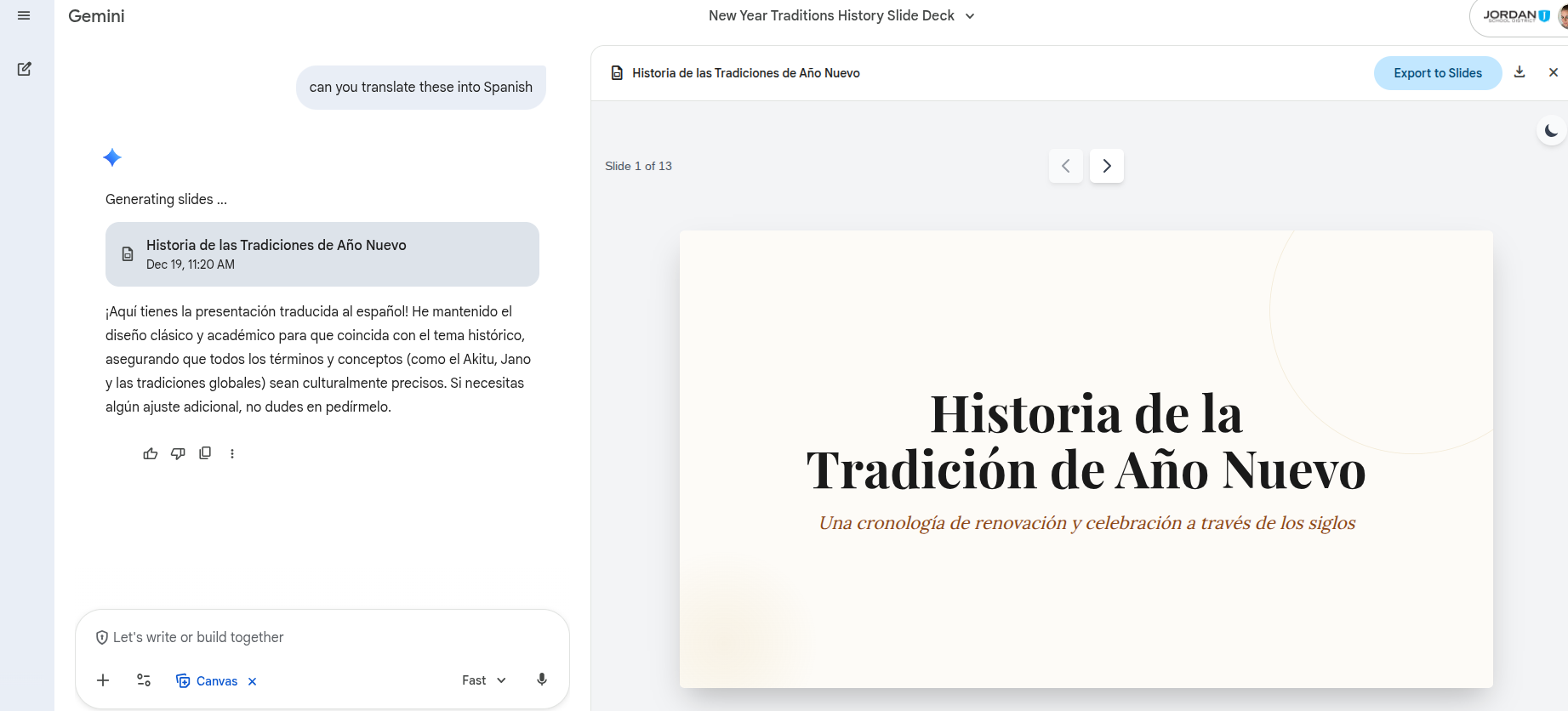
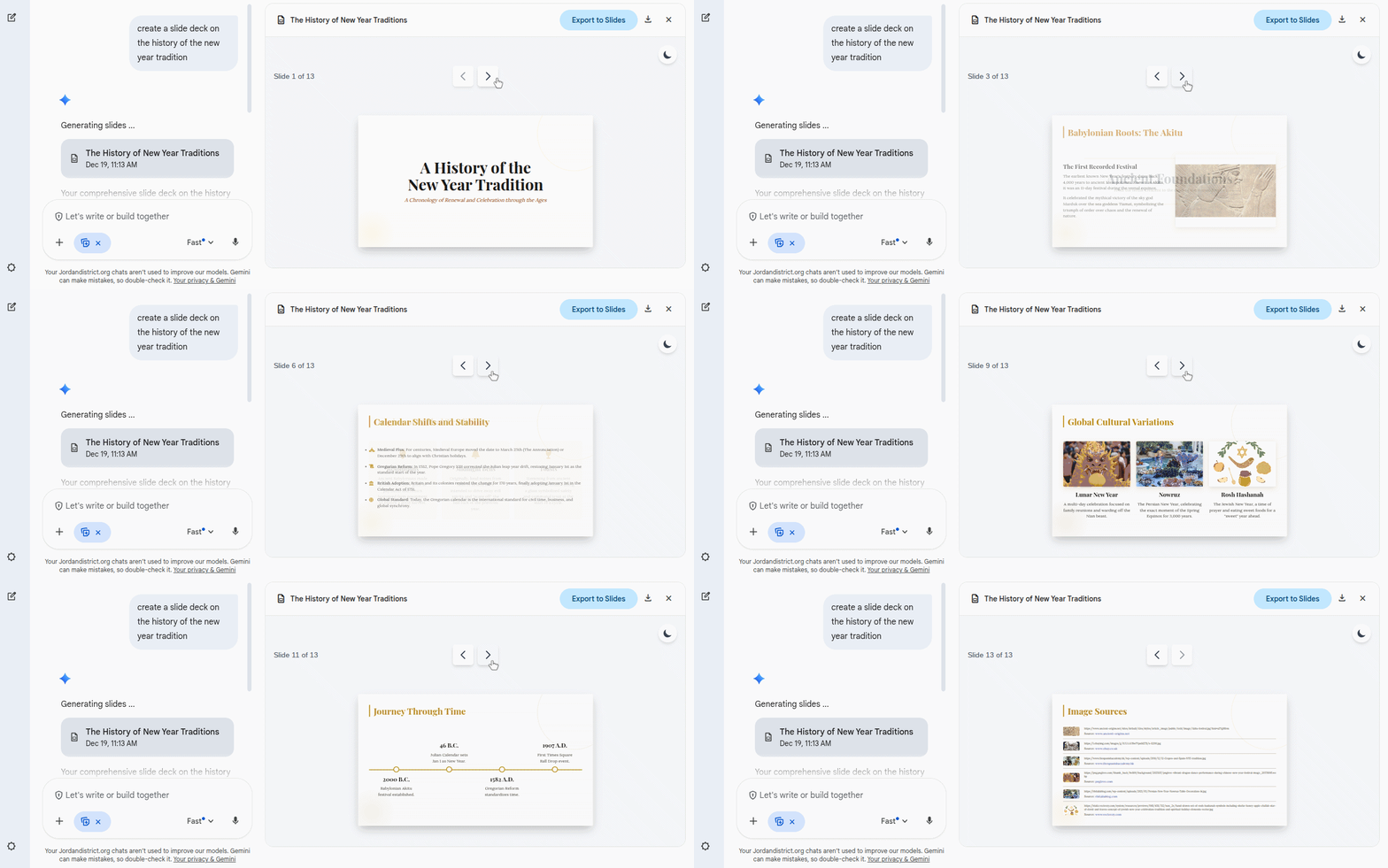 Bonus- you can use Gemini to translate the same slides into different languages! For more information, read more on the Google Workspace Updates Blog.
  Google Workspace Updates: Generate presentations in the Gemini app
Wishing You a Google Certified Christmas! 🎄
Google is currently offering free Gemini, Level 1 and Level 2 Certified Educator exams for a limited time. To register for the certification exams, please visit the new Google for Education Certifications website at https://educertifications.google/.
Nearpod News- December 2025
Dec 2025 Nearpod News by ross.rogers
MyVideoSpot Quick Start Guide
 MyVideoSpot is a video platform that serves as a secure alternative to external video sites like YouTube.
Here are some basics for getting started with this new tool:
Logging In
- Navigate to https://live.myvideospot.com
- Enter your Jordan District email address in the Username/Email field.
- Select Login with Google and select your Jordan District account.
- The first time you login you may need to allow MyVideoSpot to access your Google account
Uploading Content
You can videos directly from a YouTube Link, OneDrive, Google Drive or Embedded Content.
- Click the Upload button in the left-hand menu.
- Directly below the upload window are four buttons, select the option that suits your needs:

You can also upload videos, images, and documents directly from your computer in just a few clicks.
- Click the Upload button in the left-hand menu.
- In the upload window, either click the box to open your file browser or drag and drop files directly into the box.

Sharing Content
Videos in your MyVideoSpot gallery can be shared through a public link, QR code, embedding the videos, and in Canvas Assignments.
Public Links
- Click the Share icon from Gallery View or the player page.
- Use the External Link URL, as these videos can be viewed by anyone with the link, no login required.
QR Codes
- Click on the thumbnail or title for your content.
- Click the Generate QR Code button in the top-right corner.
- Save the QR image and use it anywhere — handouts, slides, posters, etc.
- Scanning the code takes users directly to the external viewing page — just like clicking the public link.

Embedding Videos
- Click the Share icon.
- Copy the Embed Code (found just below the size and loop options).
- Paste the code wherever HTML embeds are supported.

Adding Media to an Assignment in Canvas
Add your MyVideoSpot media to an assignment by following the steps below:
- Navigate to the Assignments page from your course’s side menu and click the + Assignment button.
- In the editor, click on the Apps icon which looks like a plug.
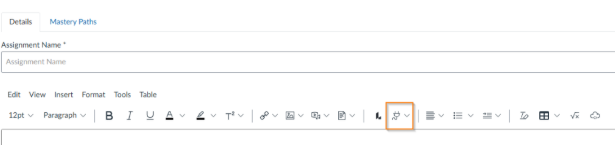
- Click on View All and select MyVideoSpot.
- A popup containing your media, your favorites, and team media will open. When you find the item you’d like to use, click on Select Item.
- You can now see the item you selected within the body of your assignment. From this point, you’re all set and can finish setting up your assignment.
MyVideoSpot Videos can also be added to Canvas Pages, External URL or as an External Tool.