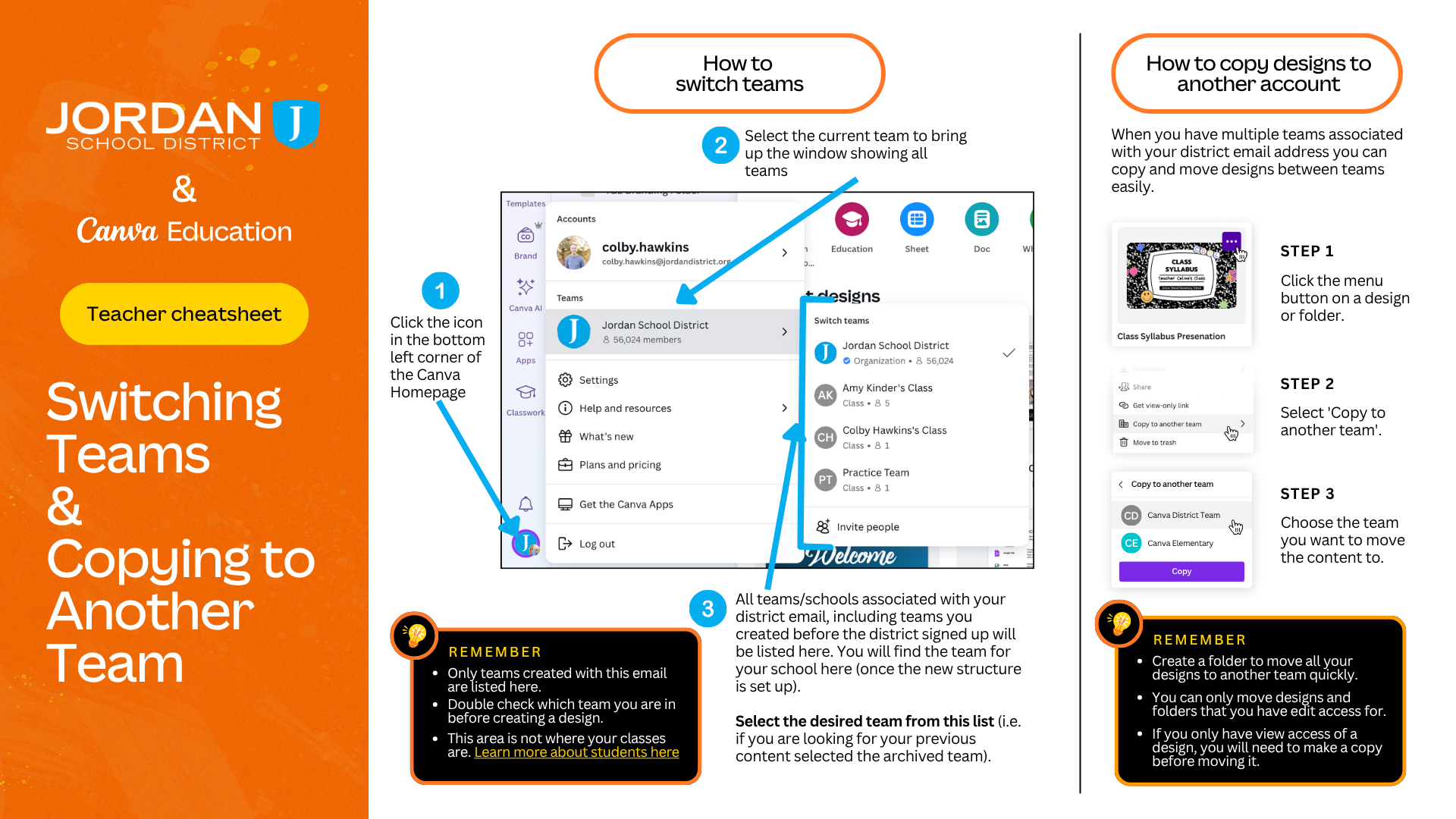
We know how much you and your students love using Canva to bring creativity to the classroom. To make collaboration even smoother, we have a quick but important reminder about how we organize our Canva teams.
Why the Switch?
Back in the Fall of 2025, we updated our Canva structure so everyone is grouped into individual school teams rather than one massive district-wide team.
While anyone who used Canva prior to the switch will have continued access to the now Archived Jordan District team, anyone new to our district does not get that access. Because students cannot share outside their specific team, working out of the archived district team creates sharing roadblocks. If you or your students are still working in the archived team, assignments and group projects can easily get stuck.
By ensuring your account and your students are working from your current school team, you’ll instantly eliminate those sharing frustrations and ensure everyone can collaborate seamlessly.