Skip to content

This month's DTL theme is Innovative Designer. The Innovative Designer standard requires students to use a variety of technologies within a design process to identify and solve problems by creating new, useful or imaginative solutions.

Check out this video from Dr. John Spencer about the LAUNCH cycle, a K12 friendly approach to the design process.

L = Look, Listen, Learn

A = Ask TONS of questions

U = Understanding the process or problems through authentic research

N = Navigate ideas - brainstorm, analyze, and ideate solutions

C = Create a prototype

H = Highlight what's working and fix what's failing

Next time you have your students use the tools in the Adobe Creative Suite, have them go through the LAUNCH cycle to really dive deeper into the world of innovative design.

Discover the transformative power of Canva's Magic Write feature. Streamline writing tasks, from lesson planning to worksheet creation, freeing you to focus on teaching. One standout feature: build on or modify existing text. Have only a slide heading or document section? Use Magic Write to "continue writing" and swiftly draft your body text. Don't miss the detailed teacher guide below. Dive in, explore, and elevate your digital teaching experience.

Copy of Magic Write Teacher Guide by Colby Hawkins

This month's DTL theme is Knowledge Constructor. The Knowledge Constructor standard requires students critically curate a variety of resources using digital tools to construct knowledge, produce creative artifacts, and make meaningful learning experiences for themselves and others.

Well, Adobe is perfect for producing creative artifacts. In fact, Adobe introduced some fun new features in Adobe Express - including a new drawing feature. Students can draw to their heart's content with over 50 different digital brushes - They can create with any color, or use exclusive Multicolor brushes to create with any combination of colors. (Ever paint with a rainbow? Now you can!) Students will also find decorative brushes to take their artwork to the next level with stars, foliage, patterns, hearts, and more.

Learn more about this new feature here: https://www.adobe.com/express/learn/blog/drawing-for-education 

Our DTL monthly theme is Digital Citizen. One way to help students be better digital citizens is teaching them how to use digital tools responsibly. Artificial Intelligence tools are reshaping the landscape of education and it's up to educators to help students navigate this change well.

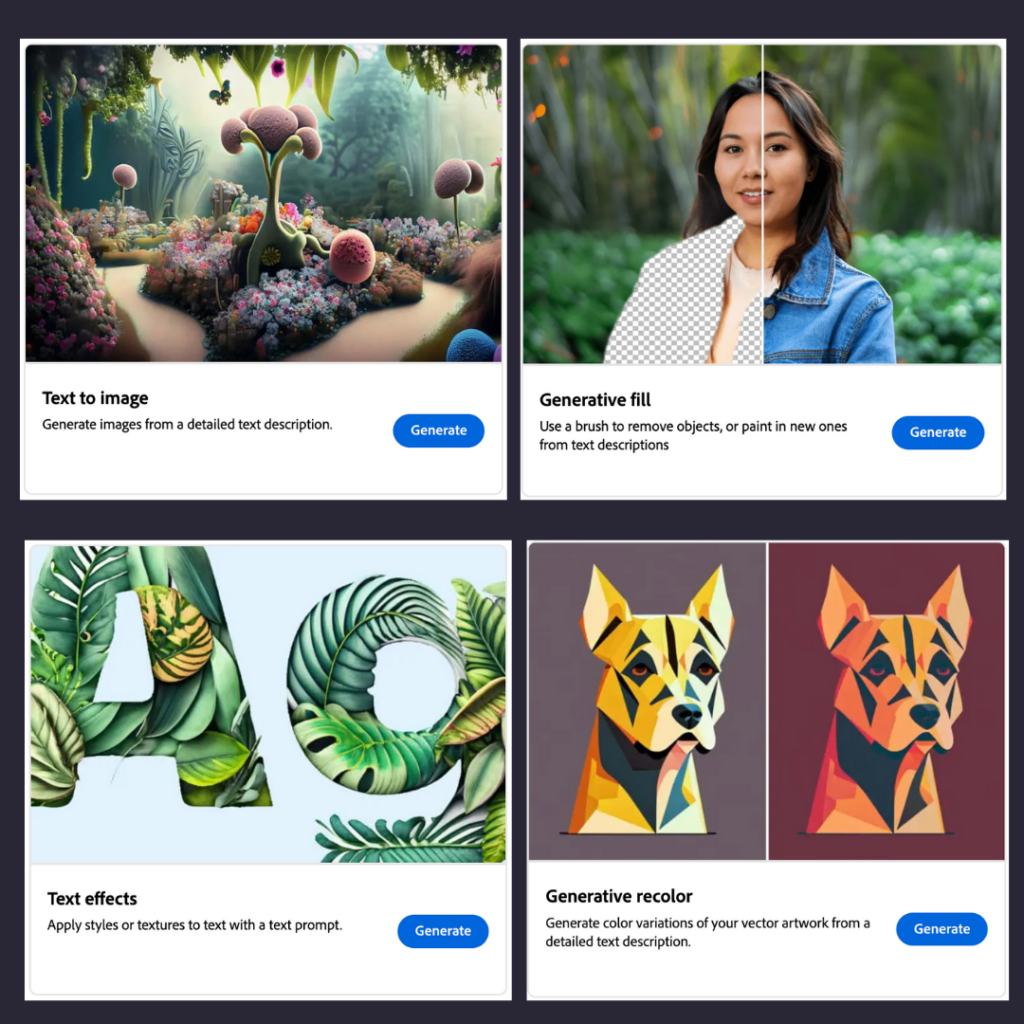
Check out Adobe Firefly! Adobe Firefly is a separate website you can find at firefly.adobe.com. It's a place where you can come up with new ideas, make cool stuff, and communicate with creativity. Plus, it makes your creative projects way easier and faster to do with the help of smart AI technology.

There are a variety of tools you can play around with in Adobe Firefly:

  • Try the Text to Image to write interesting text prompts to see what it creates visually.
  • Try the Generative Fill tool to edit or alter your images based on your guidelines.
  • Play around with the Text Effects tool to apply endless styles or textures to text prompts.
  • And lastly, the Generative Recolor option is a great tool to alter vector images.

Check out this blog post on how to write effective prompts which is essential when it comes to using AI tools well: https://helpx.adobe.com/firefly/using/tips-and-tricks.html